The Creality (K1 CFS Upgrade) CM2852 error, often appearing as "Filament detector triggered abnormally," indicates a, failure in the filament loading/unloading process in Creality K1, K1 Max, K1C, or K1 SE printers to the toolhead, but if you see filament reaching the toolhead correctly but still error out can you follow below troubleshooting guide.
It is frequently caused by residual filament shards within extruder, a malfunctioning extruder sensor and spring.
TABLE OF CONTENTS
- Troubleshoot 1: Check for extruder for blockages.
- Troubleshoot 2: Check Sensor Sub Assembly.
- Troubleshoot 3: Check Sensor PCB Sub Assembly.
Troubleshoot 1: Check for extruder for blockages.
Remove Extruder Module from motor.
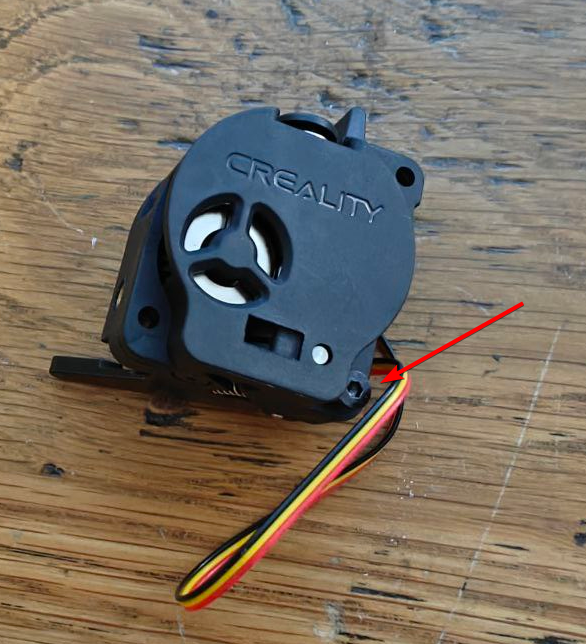
Double check and filament path is clear.
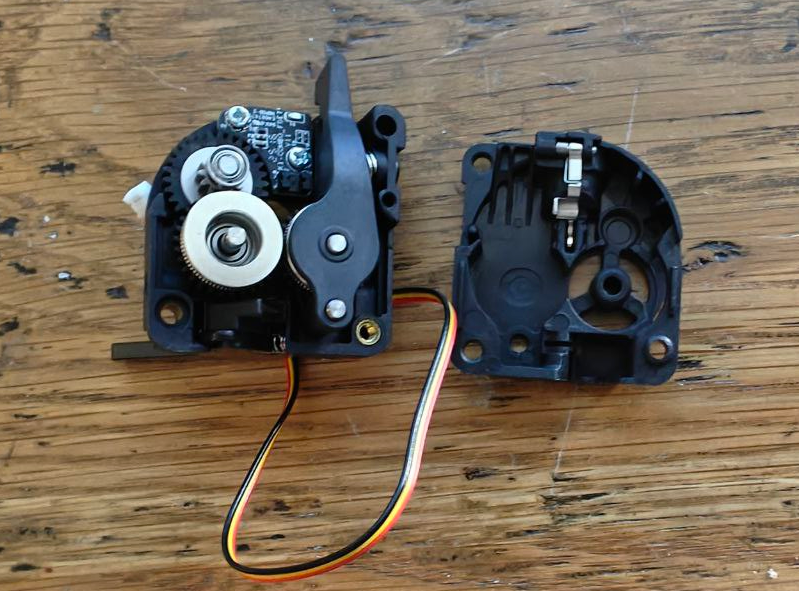
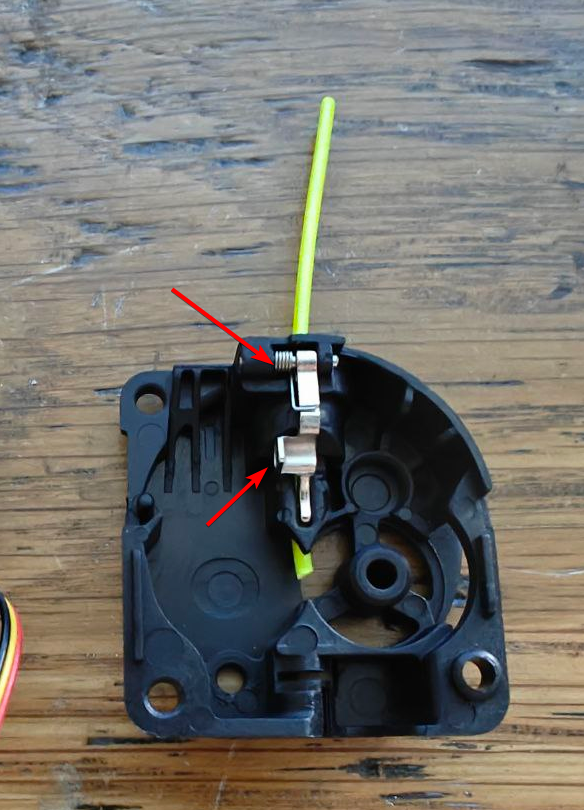
Troubleshoot 2: Check Sensor Sub Assembly.
Check if the spring is in tact, you can try feeding some filament to see the clip shifts/moves towards you when filament is fed.
Troubleshoot 3: Check Sensor PCB Sub Assembly.
Plug just the filament sensor module to PCB and turn on the printer.
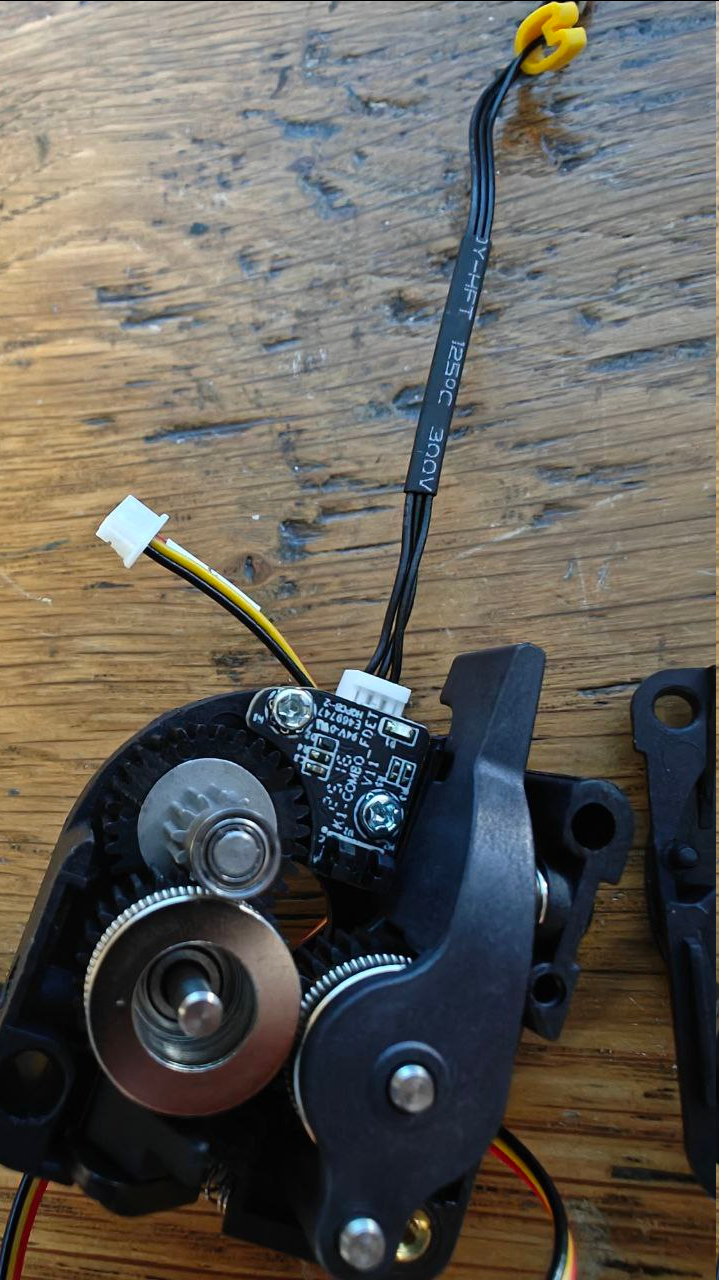
While the machine is on, you can use a 1.75mm filament to block out the IR Sensor, you see the status state change where is filament blocking the IR and default no filament. If you don't see a state change, its may be faulty PCB or wiring, please confirm below.
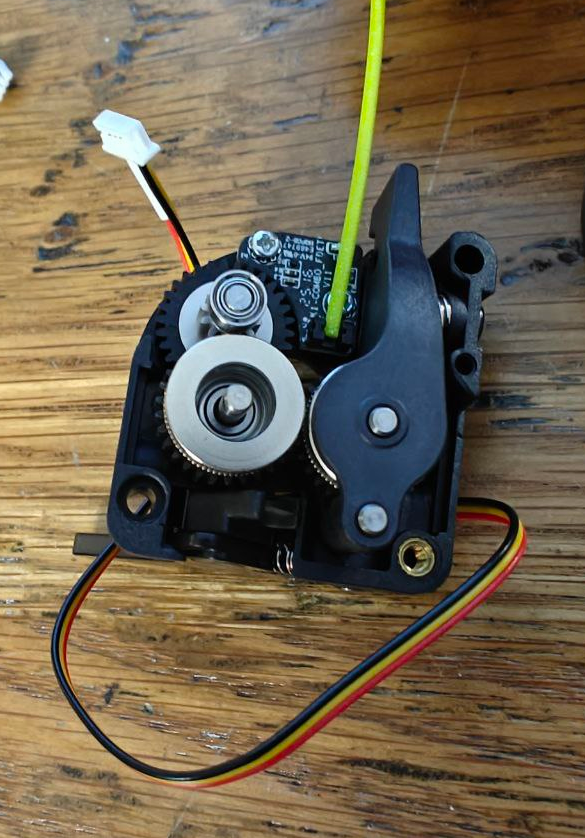
Advance Guide:
Note: If you are not careful you may short and damaged other components.
If you have multi you can probe Voltage/GND to see if you sensor 3.3v/5v, if you don't you will need replace toolhead PCB. If you do get voltage from PCB, double check if you see you can get voltage at sensor connector end on the extruder. If you also do get correct voltage, you most likely have working toolhead PCB and wiring but faulty extruder filament sensor PCB.
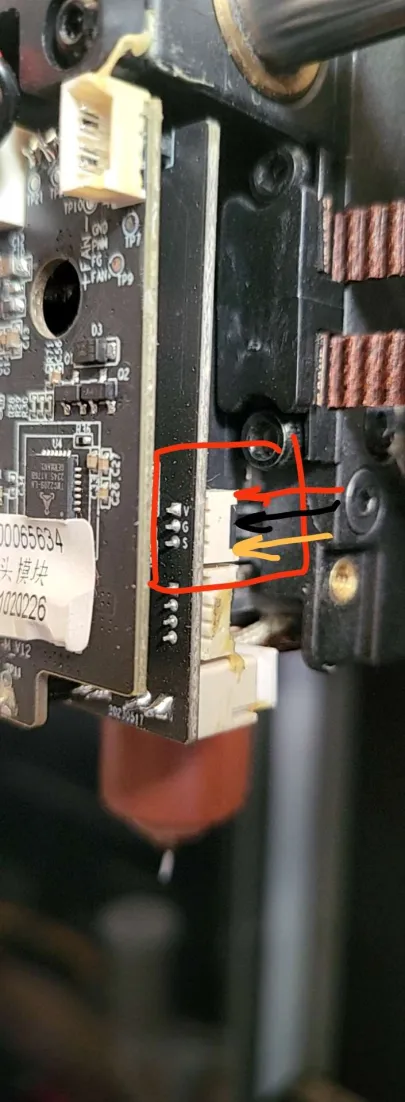
If you familiar with klipper, you can double check if the system (toolhead PCB) is working if confirm above state changes correctly. You can query the sensor using via terminals "QUERY_FILAMENT_SENSOR SENSOR=filament_sensor_2".
Was this article helpful?
That’s Great!
Thank you for your feedback
Sorry! We couldn't be helpful
Thank you for your feedback
Feedback sent
We appreciate your effort and will try to fix the article