The Creality Ender 3 V4 replacement hotend kit is a complete assembly designed to restore your printer's extrusion performance. The "V4" designation refers to Creality's fourth-generation hotend design, featuring a redesigned heat sink and improved thermal management. This guide provides step-by-step instructions for removing the old hotend assembly and installing the new V4 replacement kit.
Spare Parts
Ender 3 V4 Ceramic Heating Block Kit
Install Video:
Written Guide:
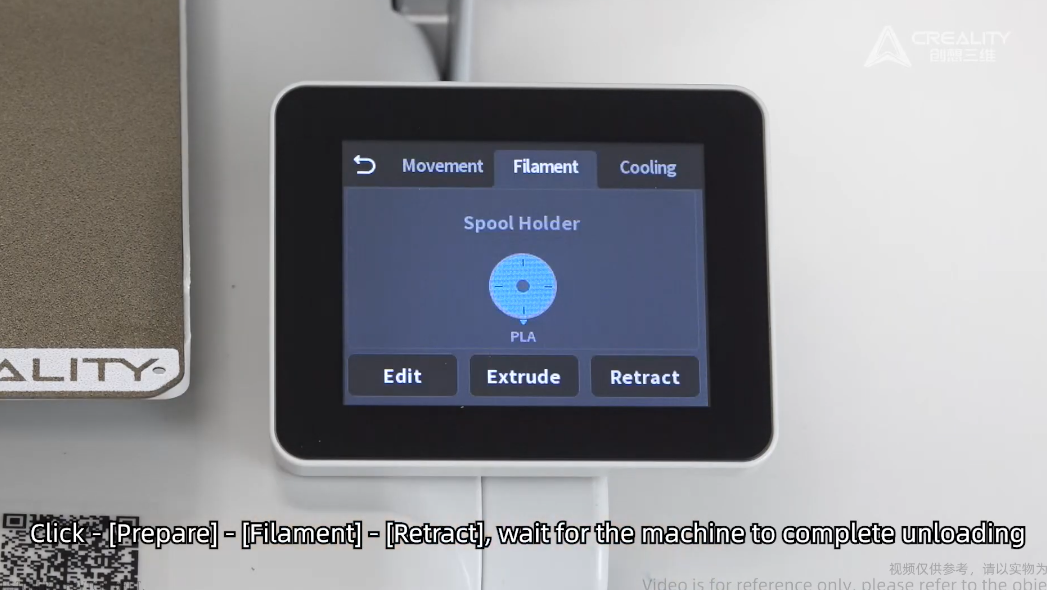
1. Retract Filament
Using the on screen prepare - filament - retract to remove loaded materials/filament.
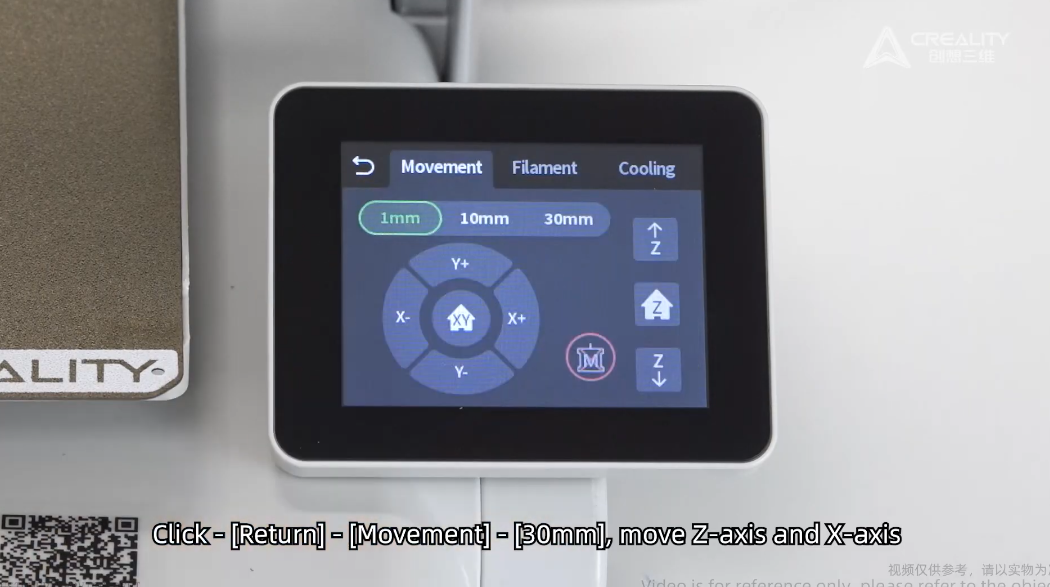
2. Move the toolhead to suitable height.
Move the toolhead 30mm high.
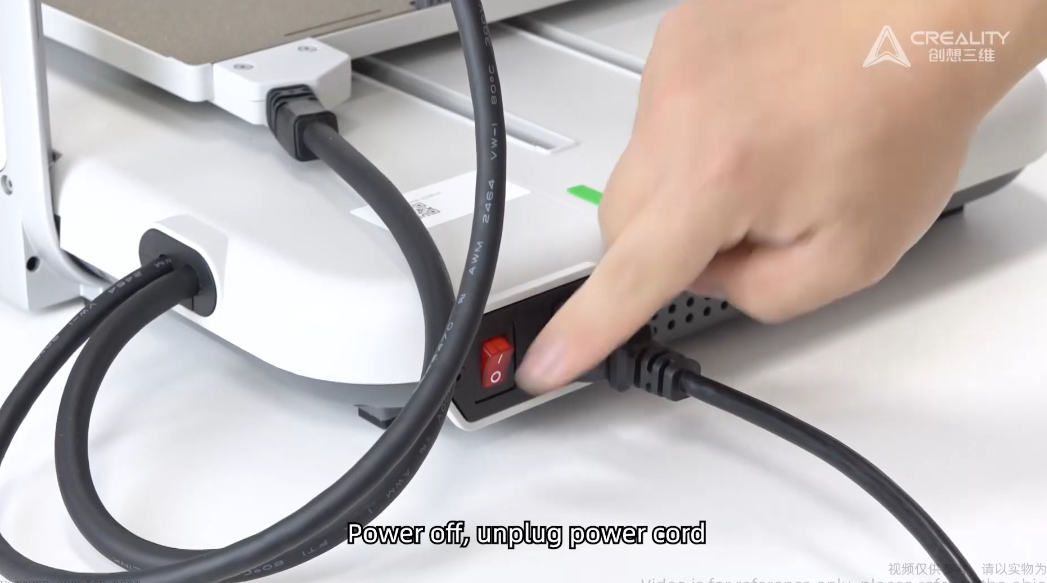
3. Turn off the printer.
Let the printer hotend and bed cooldown.
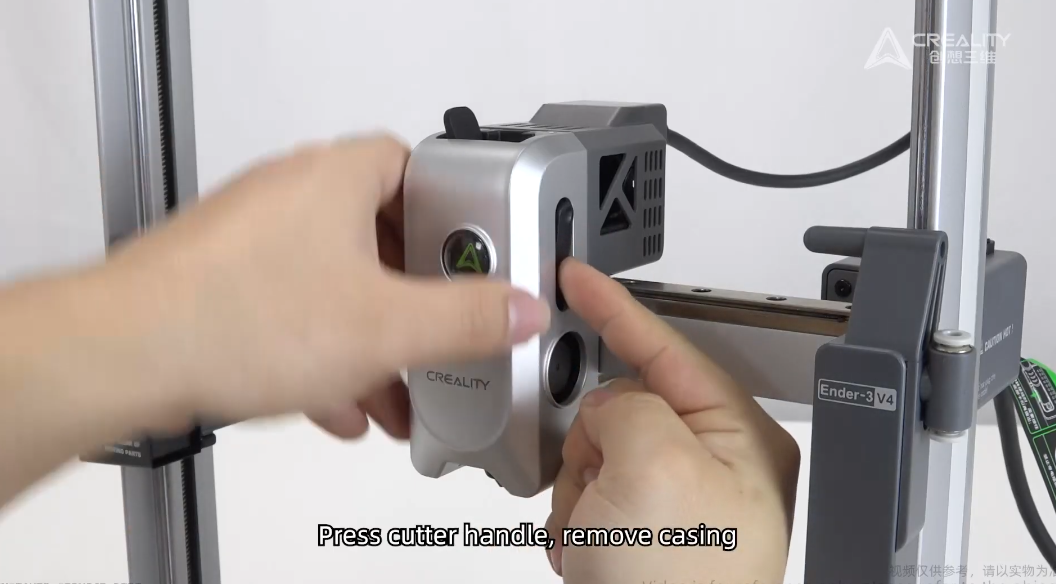
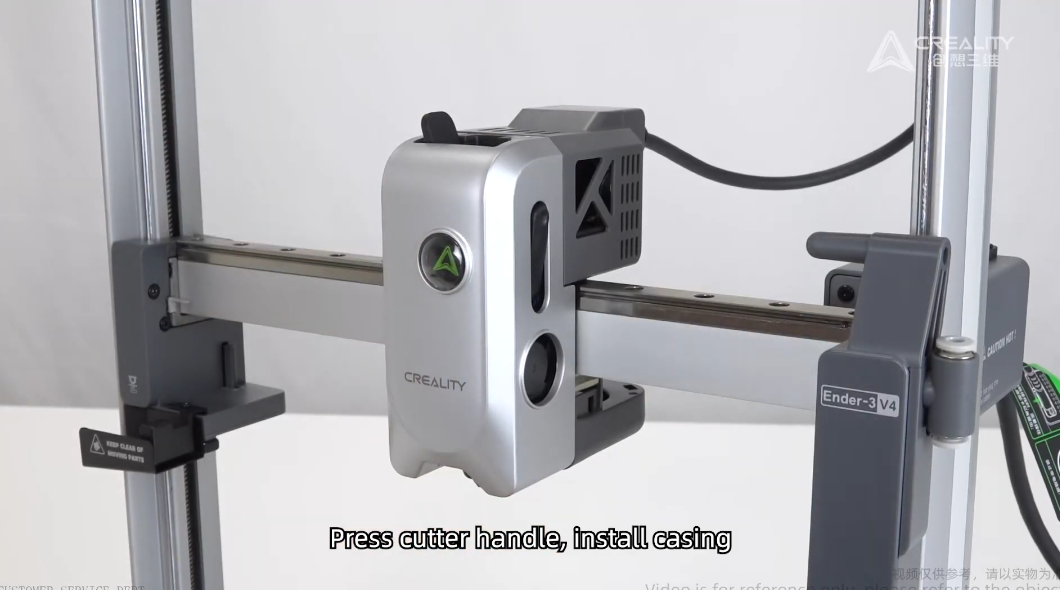
4. Remove the front cover.
Press down the on cutter leaver to remove front cover.
5. Remove the nozzle.
Release the clip and pull out the nozzle.
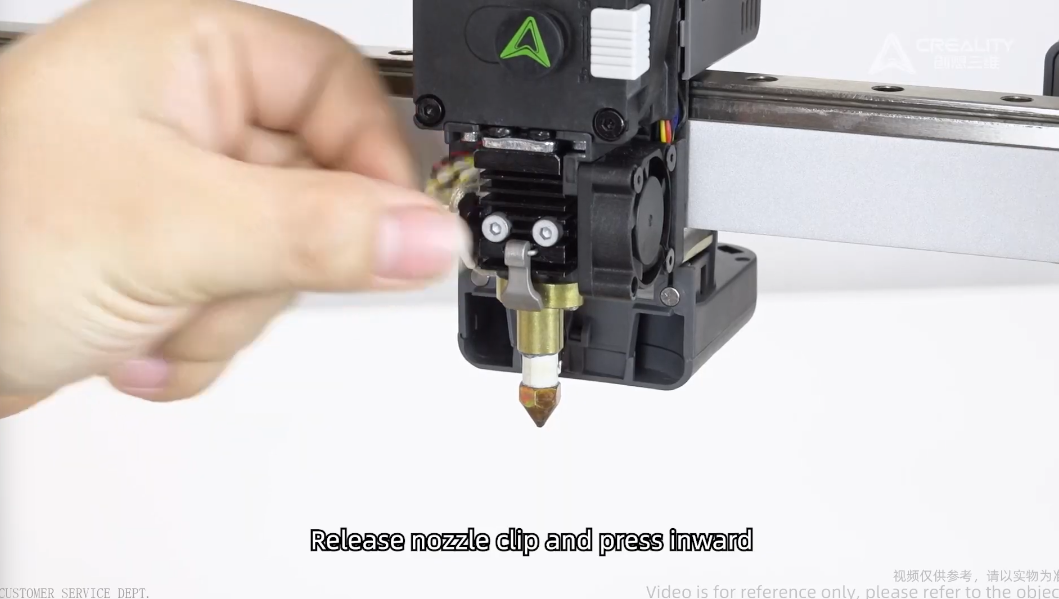
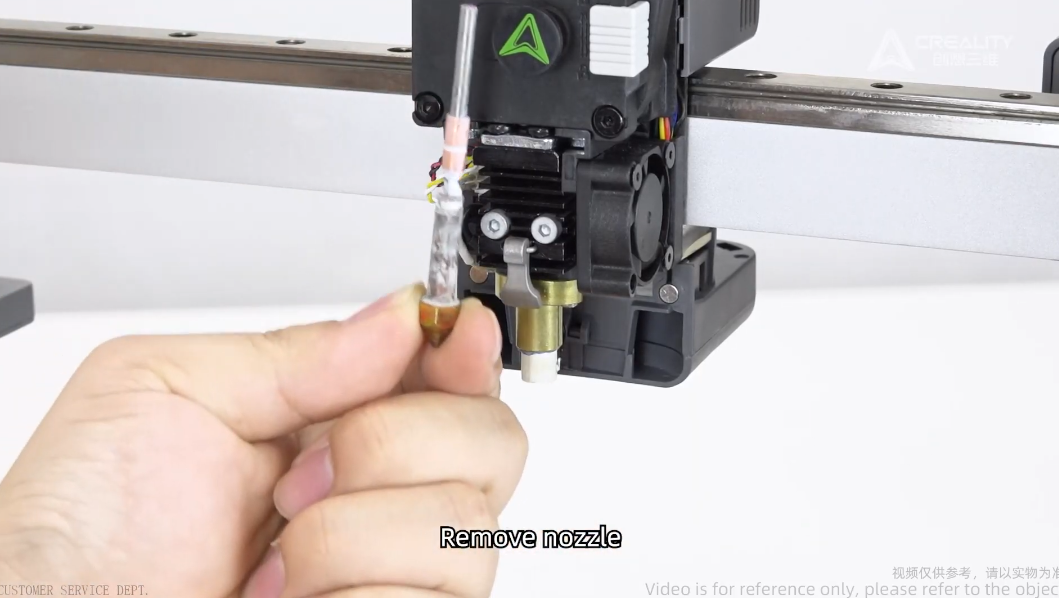
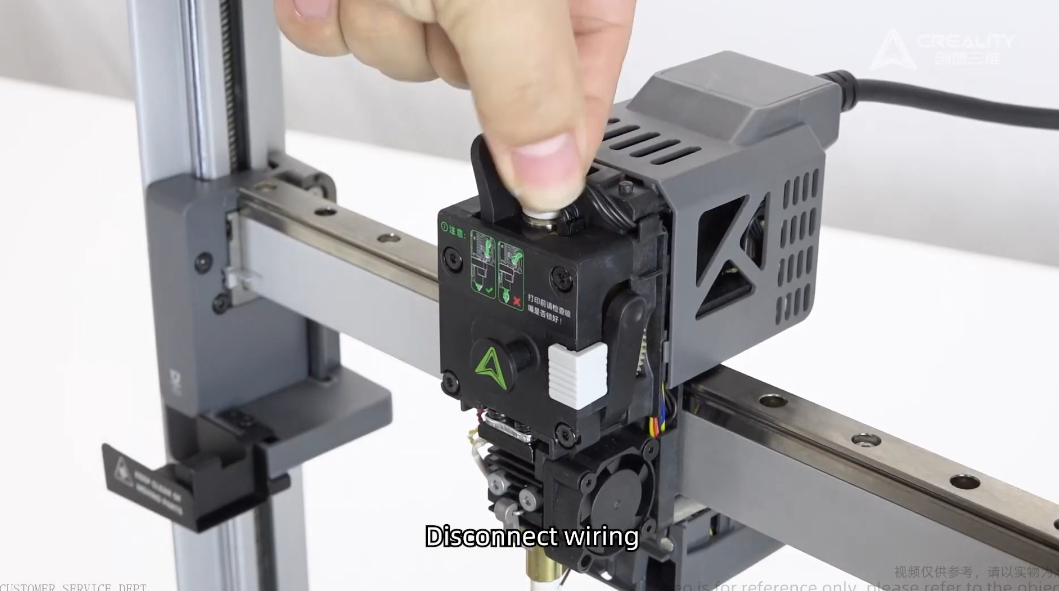
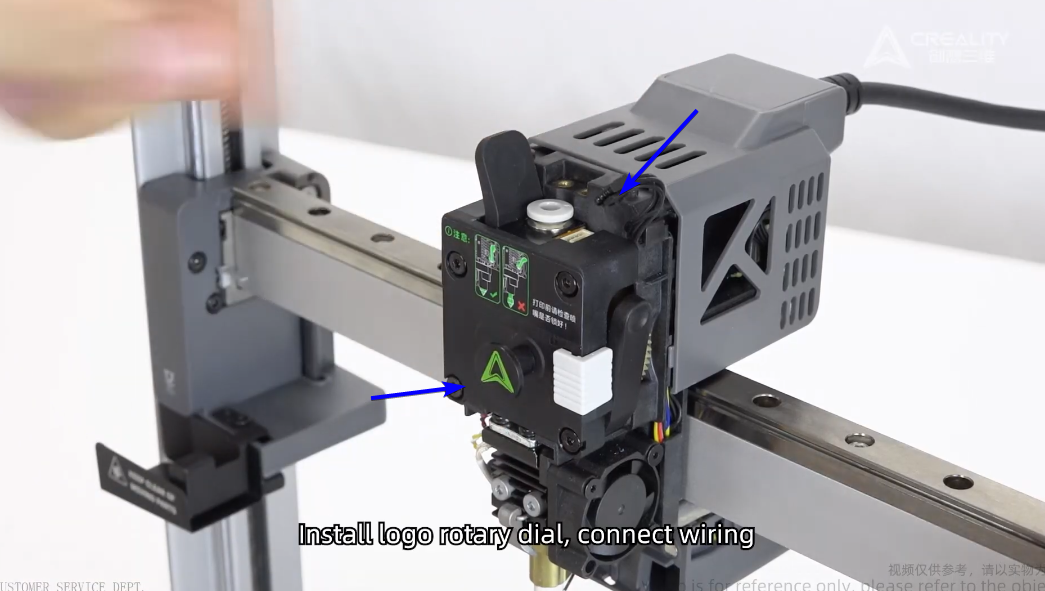
6. Disconnect Wiring, and remove the logo dial.
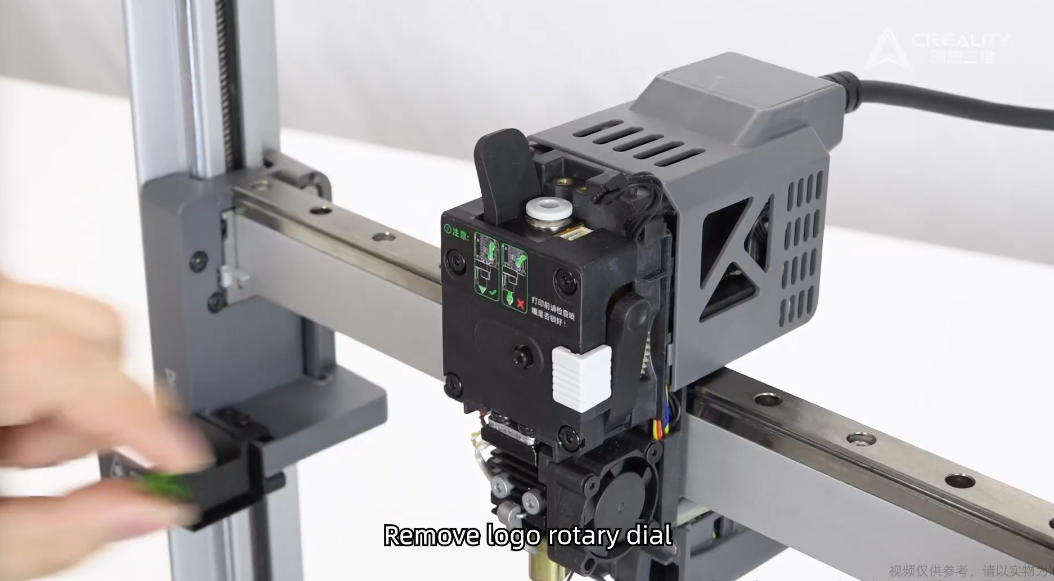
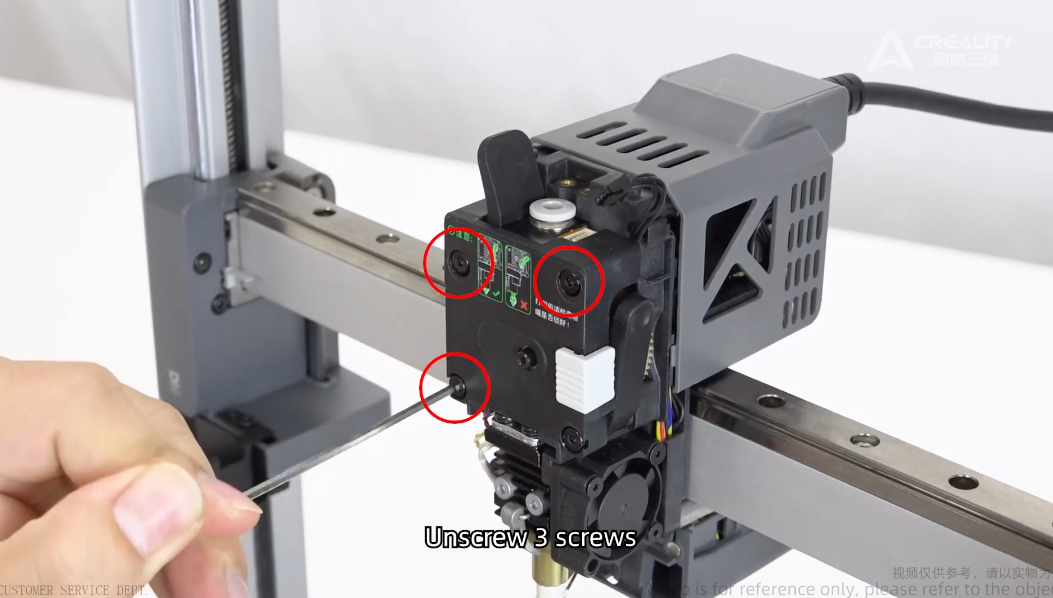
7. Remove Extrusion Fasteners.
Remove the 3 fasteners as below marked.
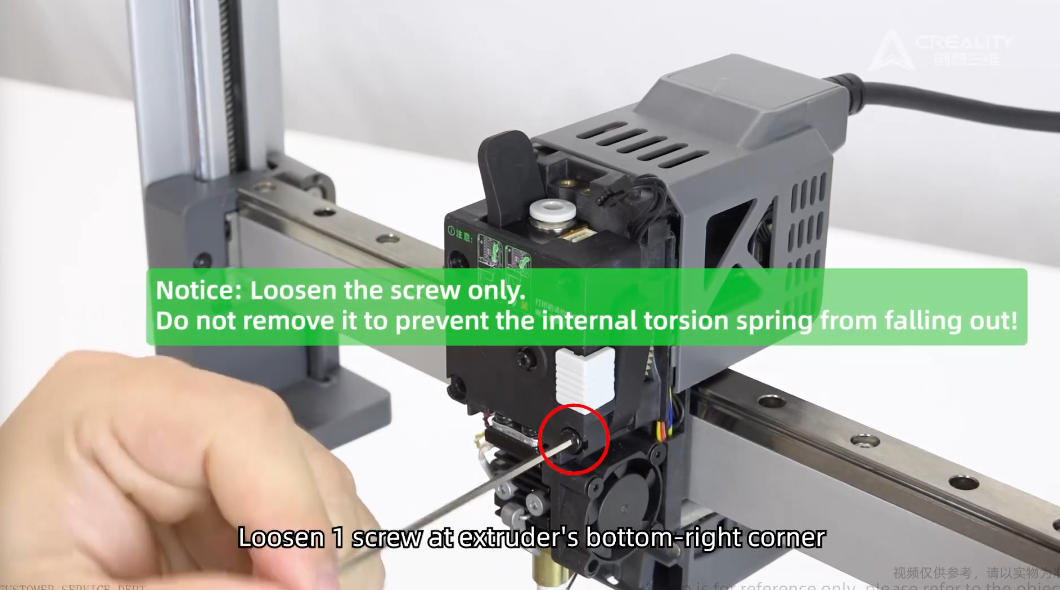
8. Loosen bottom screw.
Do not unscrew completely otherwise the spring from leaver can fall out.
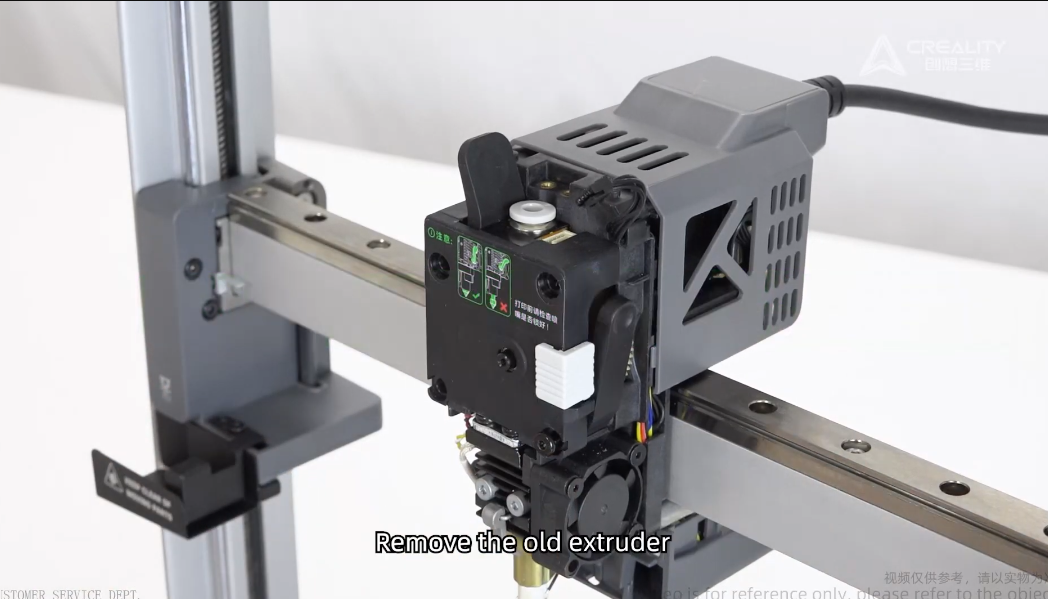
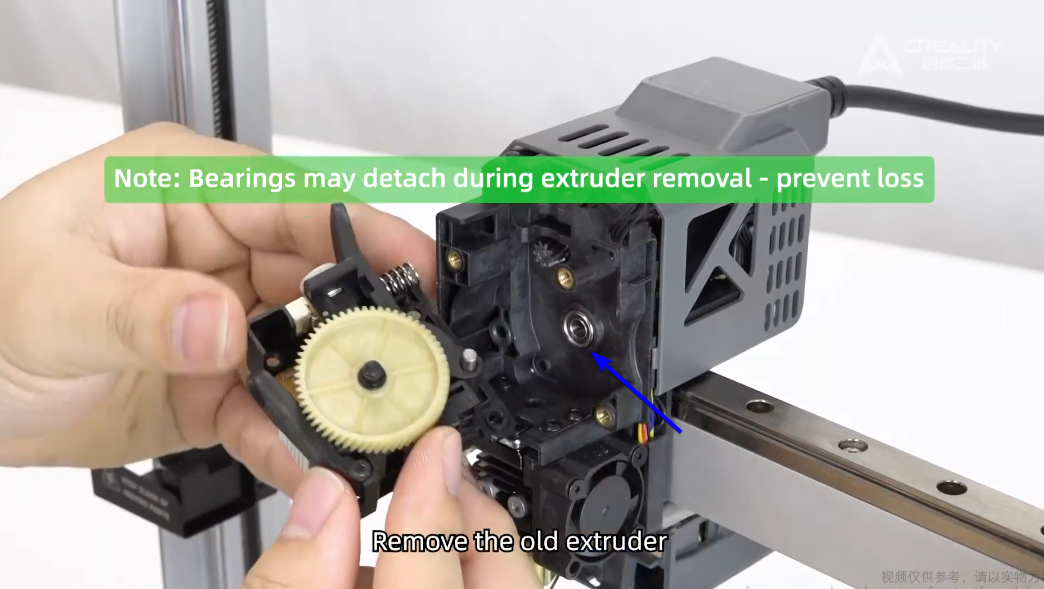
9. Remove old extruder
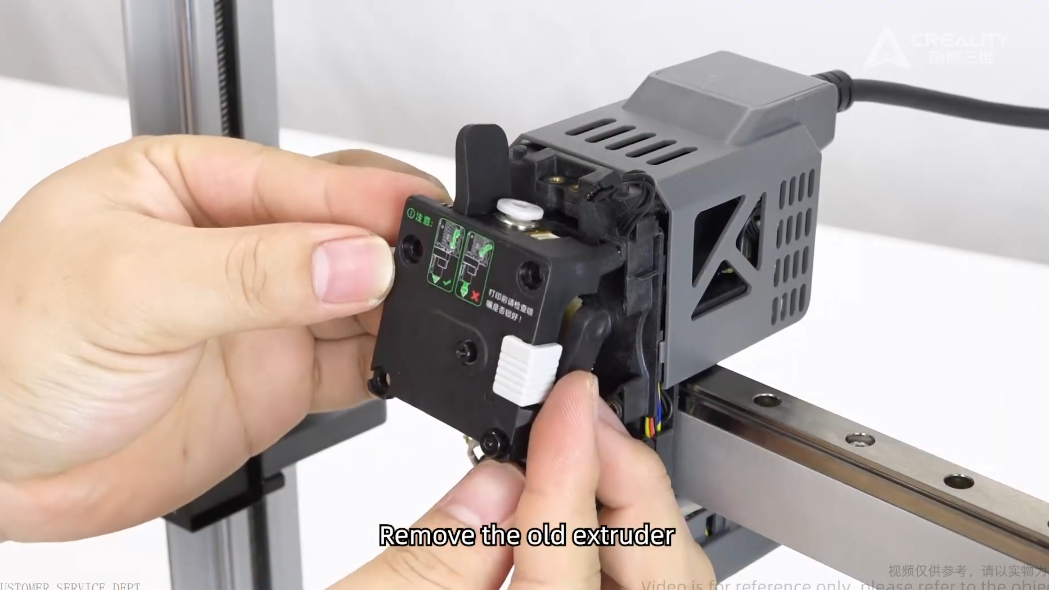
Ensure you don't loose this bearing.
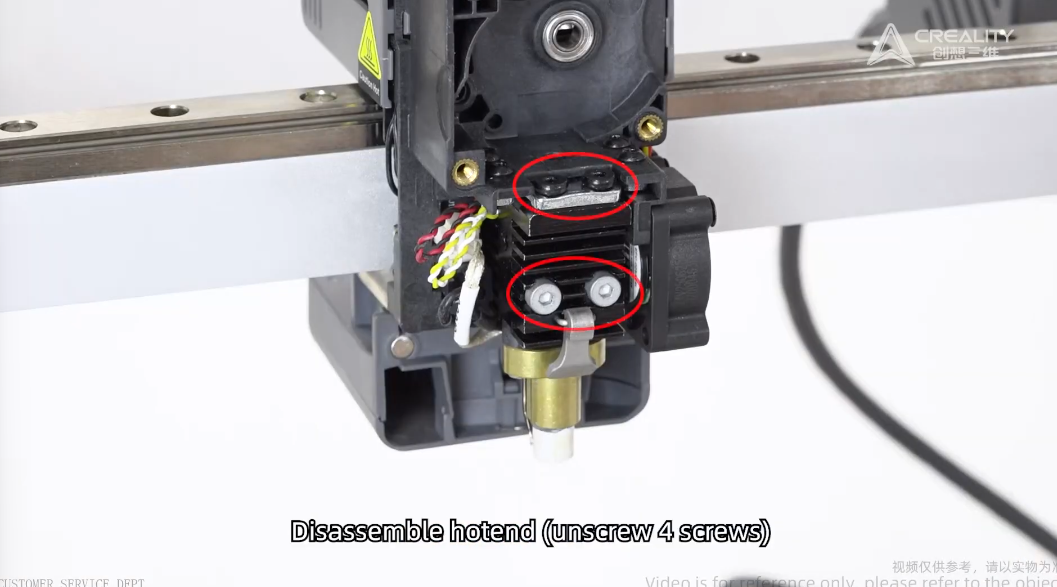
10. Unscrew 4 fasteners to remove the hotend.
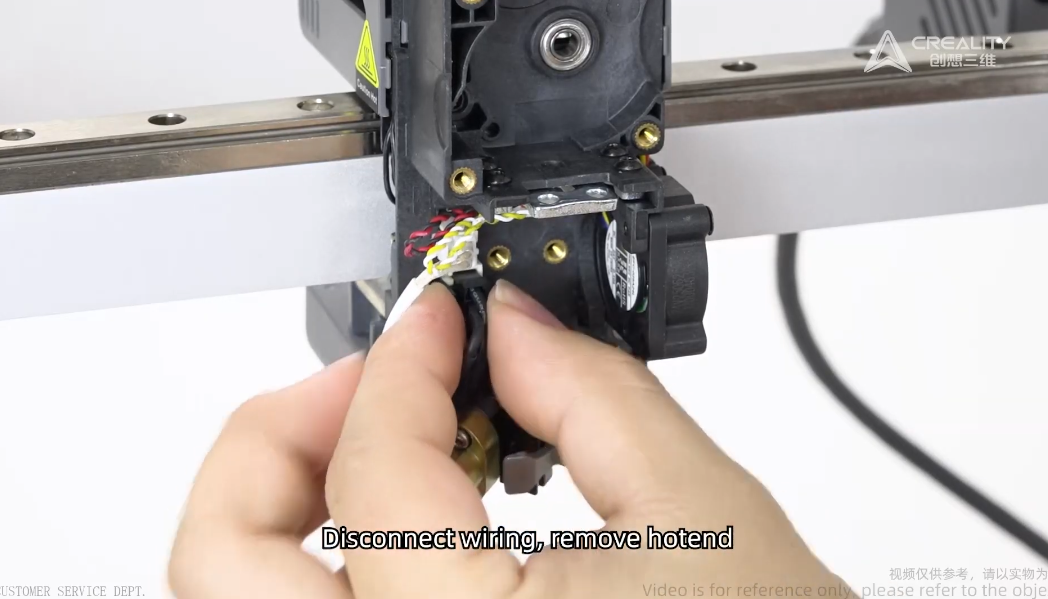
11. Disconnect Hotend Connection.
12. Replace Hotend Assembly.
Remove the nozzle from hotend assembly if you replacement assembly have pre-assembled.
Ender 3 V4 Ceramic Heating Block Kit available from DREMC, in Australia, shipping worldwide.
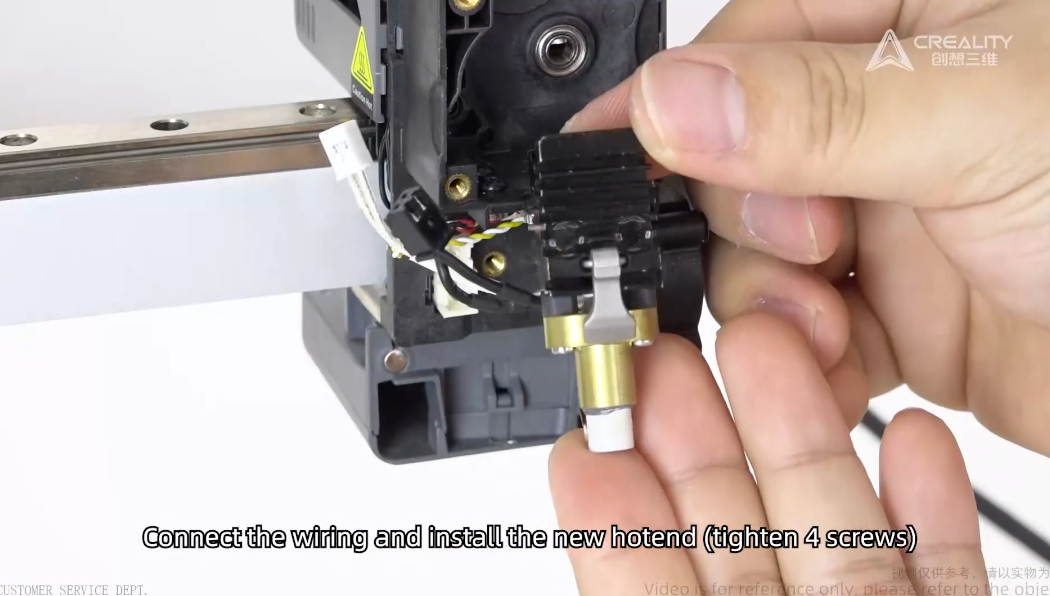
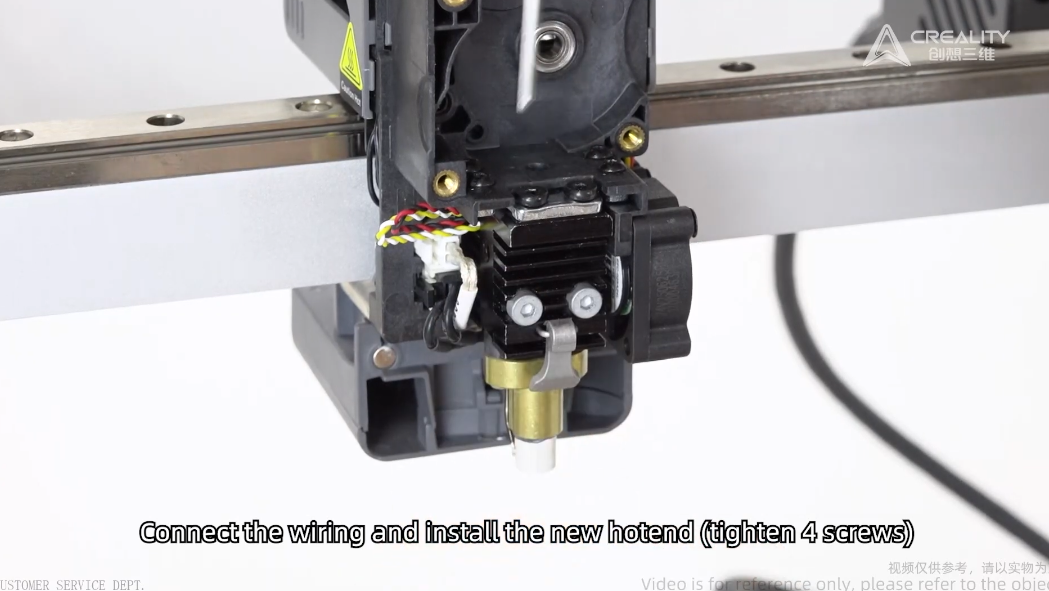
Re-connect the hotend.
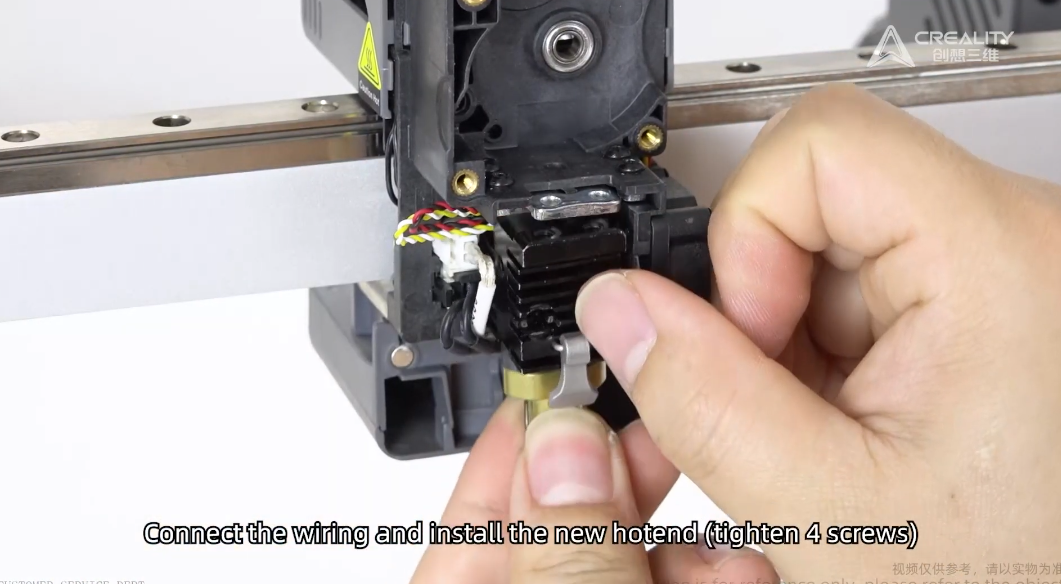
Re screw the 4 fastener.
13. Reinstall new extruder assembly.
Ensure the spring is engaged.
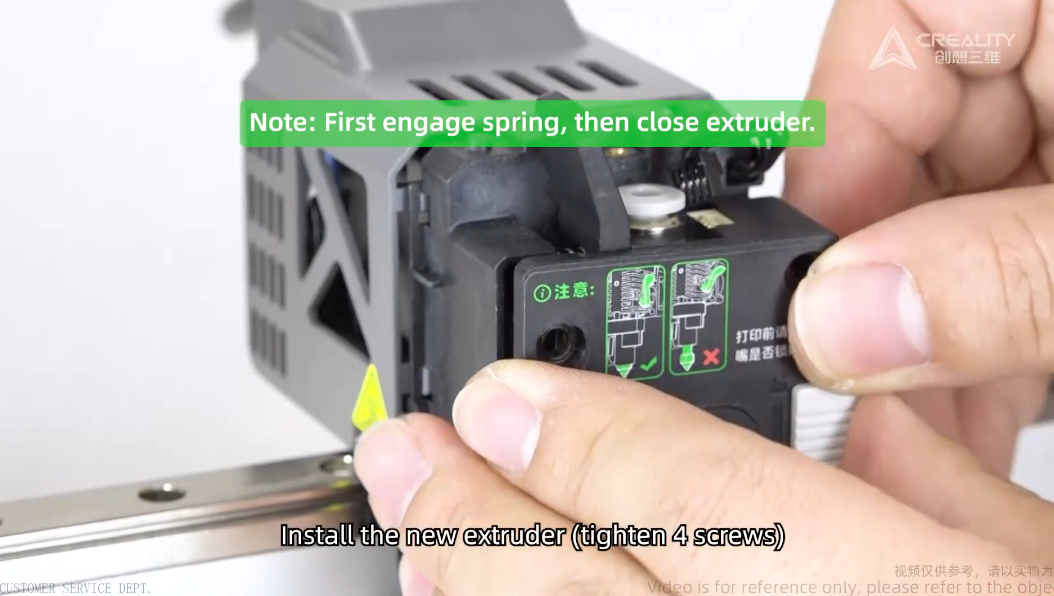
Reinstall 3 screw back.
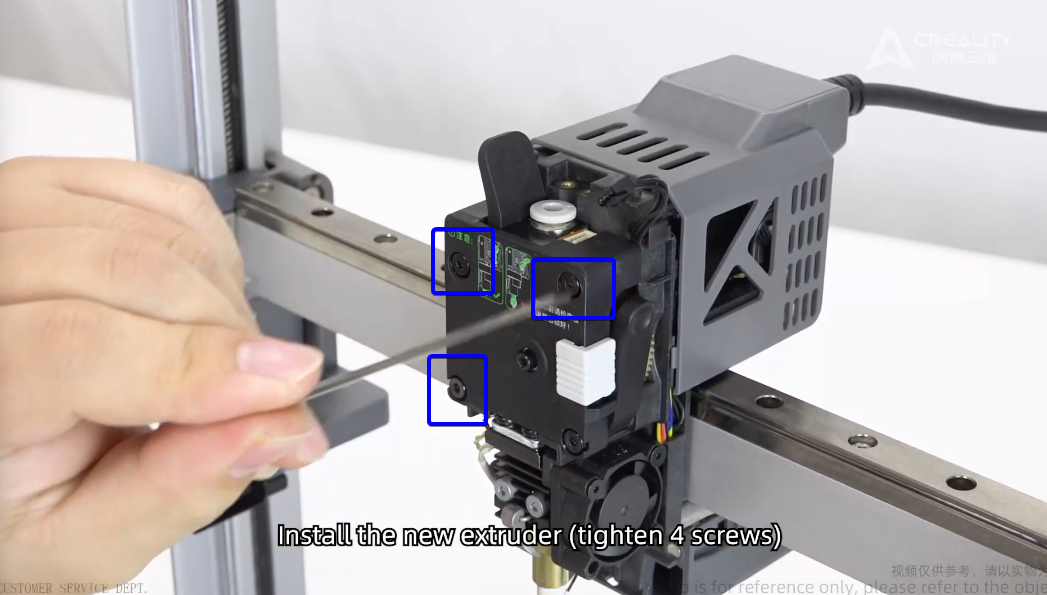
14. Reinstall Cable and Dial
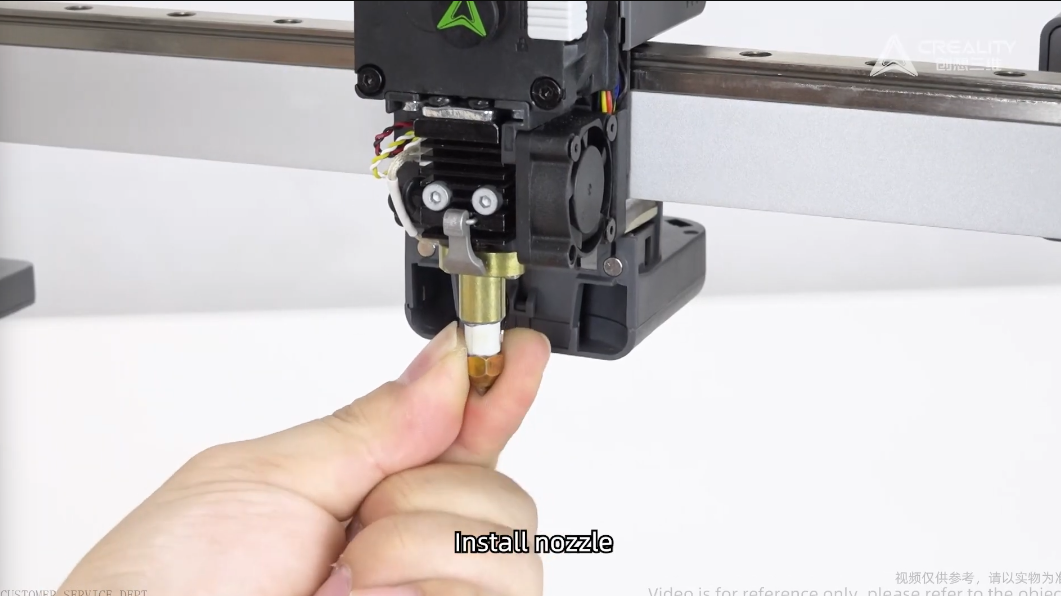
15. Reinstall Nozzle
Ensure you clip the retaining clip and reinstall silicon sock.
16. Re-Install Front Cover
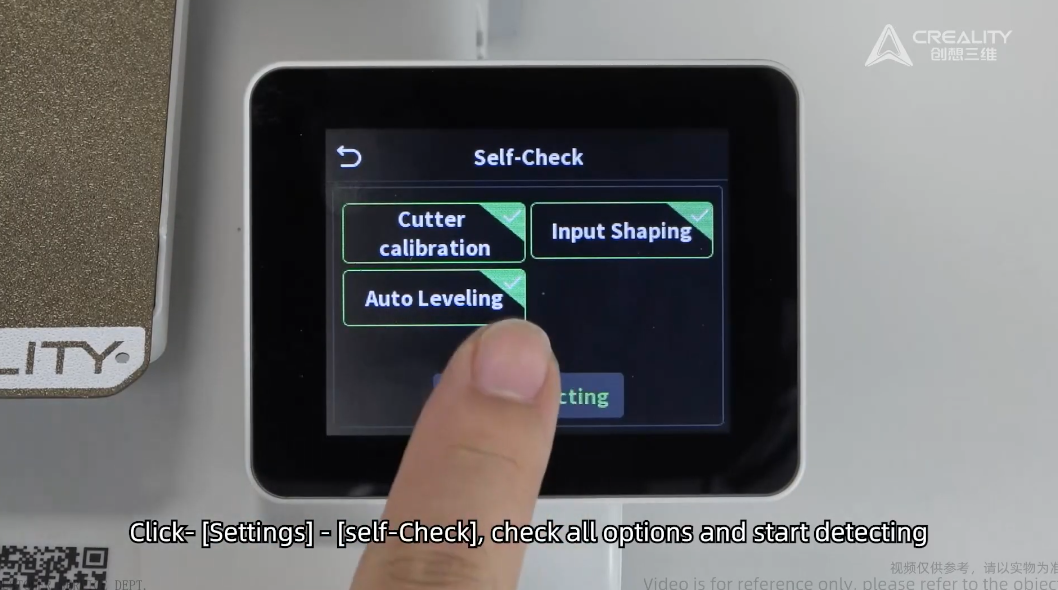
17. Power on the printer and perform self check.
Under Setting - Self Check - Click all options.
Was this article helpful?
That’s Great!
Thank you for your feedback
Sorry! We couldn't be helpful
Thank you for your feedback
Feedback sent
We appreciate your effort and will try to fix the article